Nearly every guide to insurance software concludes that cloud is the right choice — and for most insurers, it is. This is the honest case for the exception: when claims data legally or contractually cannot leave an organisation's own network, and what that actually looks like to build.
The Cloud Case, Stated Fairly
The case for cloud claims software is genuinely strong, and most of the arguments for it hold up. Predictable subscription costs beat unpredictable server maintenance. Updates and security patching happen automatically instead of on an internal IT team's schedule. Remote and distributed teams can work from anywhere. For the large majority of insurers and claims operations, cloud is correctly the default, and none of what follows is an argument against that default.
Where the Default Breaks
The exception is narrower and more specific than a general preference for control: it's when claims data cannot be reachable from the public internet at all — not behind a VPN, not behind SSO, not with the strongest cloud security available. Some organisations operate under exactly that constraint, whether from a client contract, an internal risk policy, or the nature of the data itself.
A web portal, even a well-secured one, is still a service listening on a network that something outside the building can reach. If the requirement is that nothing outside the building can reach it, a web portal doesn't satisfy the requirement no matter how good its security is — it changes what has to go wrong for a breach to happen, not whether a breach is theoretically possible.
What Network-Restricted Actually Means
The alternative is a desktop application that checks the device's network before the interface ever renders. If the machine isn't on an authorised office network, the application does not open — there's no login screen for anyone to reach from outside, because there's no public endpoint to reach in the first place. Access control happens before authentication, not after it.
This is a meaningfully different security posture from a cloud app with IP allowlisting, which still runs on a public endpoint that's merely restricted — the endpoint exists and can be scanned or probed even if most requests are rejected. A network-restricted desktop application has no endpoint to find.
The Trade-Offs, Honestly
- No remote work. Staff have to be physically on an authorised network. For a back-office team that already works on-site, this costs nothing. For a distributed team, it's disqualifying.
- Updates ship as application releases, not a server deploy. Rollout takes longer and needs a distribution plan.
- Cross-device continuity has to be designed in. A user switching desks or devices needs that handled explicitly, not assumed.
The Decision, in One Rule
Choose network-restricted desktop when the data genuinely cannot leave the building and the people using it don't need to leave it either. Choose cloud in almost every other case — including most cases that feel like they might be the exception.
Case in Point
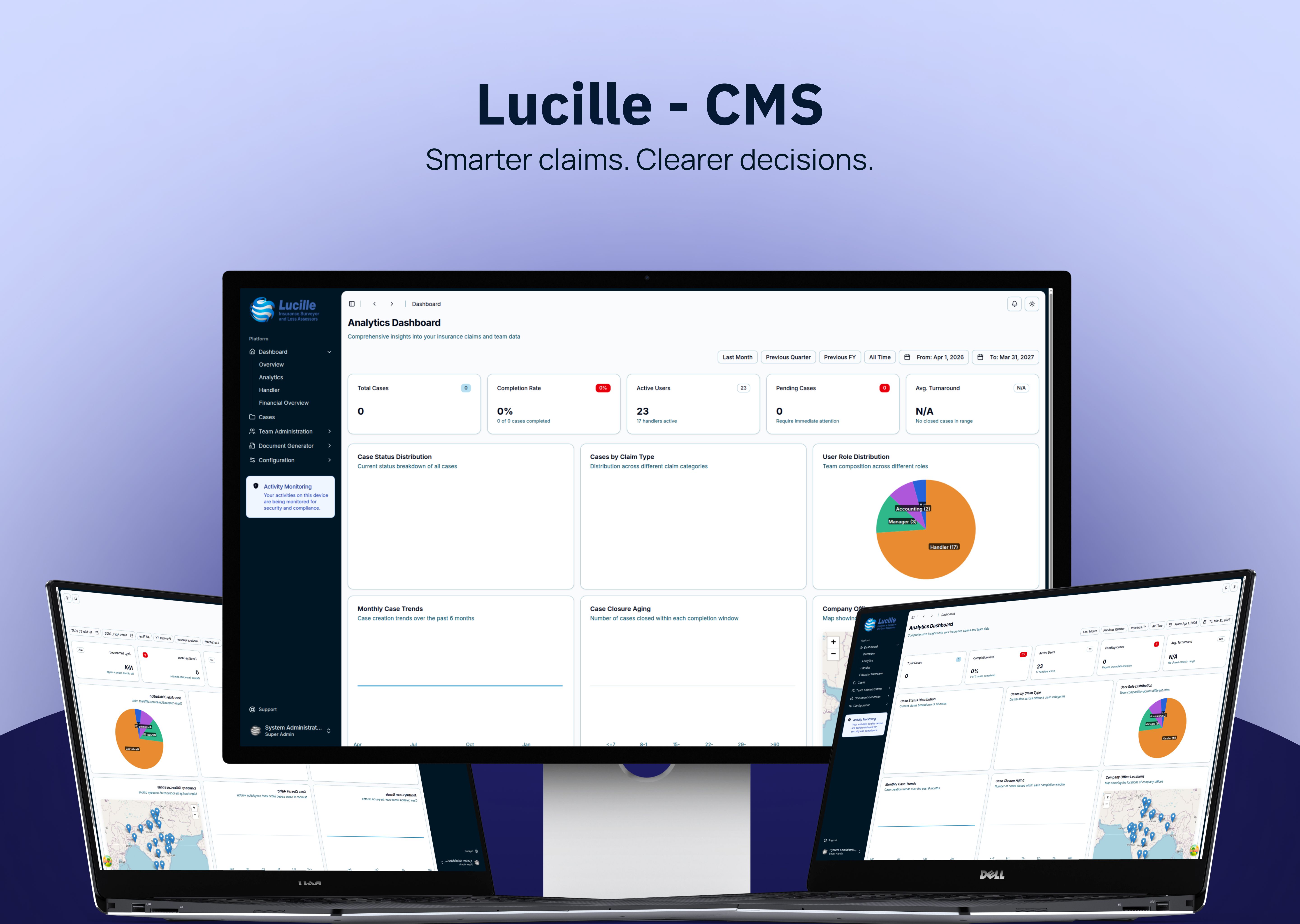
This is a network-restricted claims management system we built for an insurance surveyor firm whose case data could not be reachable from the public internet. It checks the device's subnet before the interface renders, and it's been running in daily use with more than 15,000 historical claims migrated in with zero data loss.
Frequently Asked Questions
Is on-premise software more secure than cloud?
Not automatically — a poorly maintained on-premise system can be less secure than a well-run cloud platform. Network-restricted software isn't inherently more secure in the abstract; it offers a different guarantee: no public endpoint exists for the application at all, which a cloud app, however well secured, cannot claim.
When should claims software be network-restricted instead of cloud-hosted?
When claims data cannot be reachable from the public internet under any circumstances — driven by a client contract, an internal risk policy, or the sensitivity of the data itself — and the team using the system works from a fixed, authorised location.
What are the downsides of a network-restricted desktop application?
No remote access, release-based rather than instant updates, and cross-device continuity that has to be designed in rather than assumed. These are real costs and worth weighing honestly against the security requirement driving the decision.