A security product catalogue works when it helps buyers decide what to discuss next, not when it simply lists models. Start with three routes: the security problem, the property type, and the product component. A homeowner, facilities manager, and security installer can then reach the same control panel or sensor from the context that makes sense to them. This is especially useful for a catalogue that must serve residential, commercial, and industrial enquiries.
Who This Is For
- Security manufacturers and distributors with alarm, access, surveillance, or perimeter products.
- Installers that need a product resource without forcing every visitor into a checkout flow.
- Facilities teams comparing system options for offices, stores, warehouses, or industrial sites.
- Marketing teams that need product pages, buyer guides, partner information, and enquiries in one CMS-managed site.
Why a product-only catalogue creates friction
A component-first tree is useful to an installer who already knows whether they need a control panel, communicator, motion detector, door contact, shock sensor, glass-break detector, keypad, or sounder. It is far less useful to a buyer who starts with a question such as: What should protect a shuttered retail unit? What fits a warehouse with loading bays? What should a homeowner compare before arranging a survey?
That is the central distinction. A catalogue is not only inventory. It is a decision interface between technical products and the risks a visitor understands. The page should therefore preserve component categories while adding routes for property type, common security needs, and the next action a visitor can take.
Use three entry paths before the product grid
1. Start with the property
Residential, commercial, and industrial pages should not repeat the same prose with different photographs. Each needs a distinct brief. Residential buyers usually want simple coverage of entry points and clear ownership. Commercial buyers may need schedules, multiple users, a response plan, and integration with CCTV or access control. Industrial sites can add dust, vibration, temperature changes, loading bays, shutter doors, yards, and changing layouts to the decision.
2. Start with the security problem
Give people plain-language routes such as protect entry points, detect movement, secure shutters and glazing, monitor an empty site, manage staff access, or connect an alarm event to a response workflow. This route lets a visitor identify the problem without learning an internal product taxonomy first.
3. Start with the component
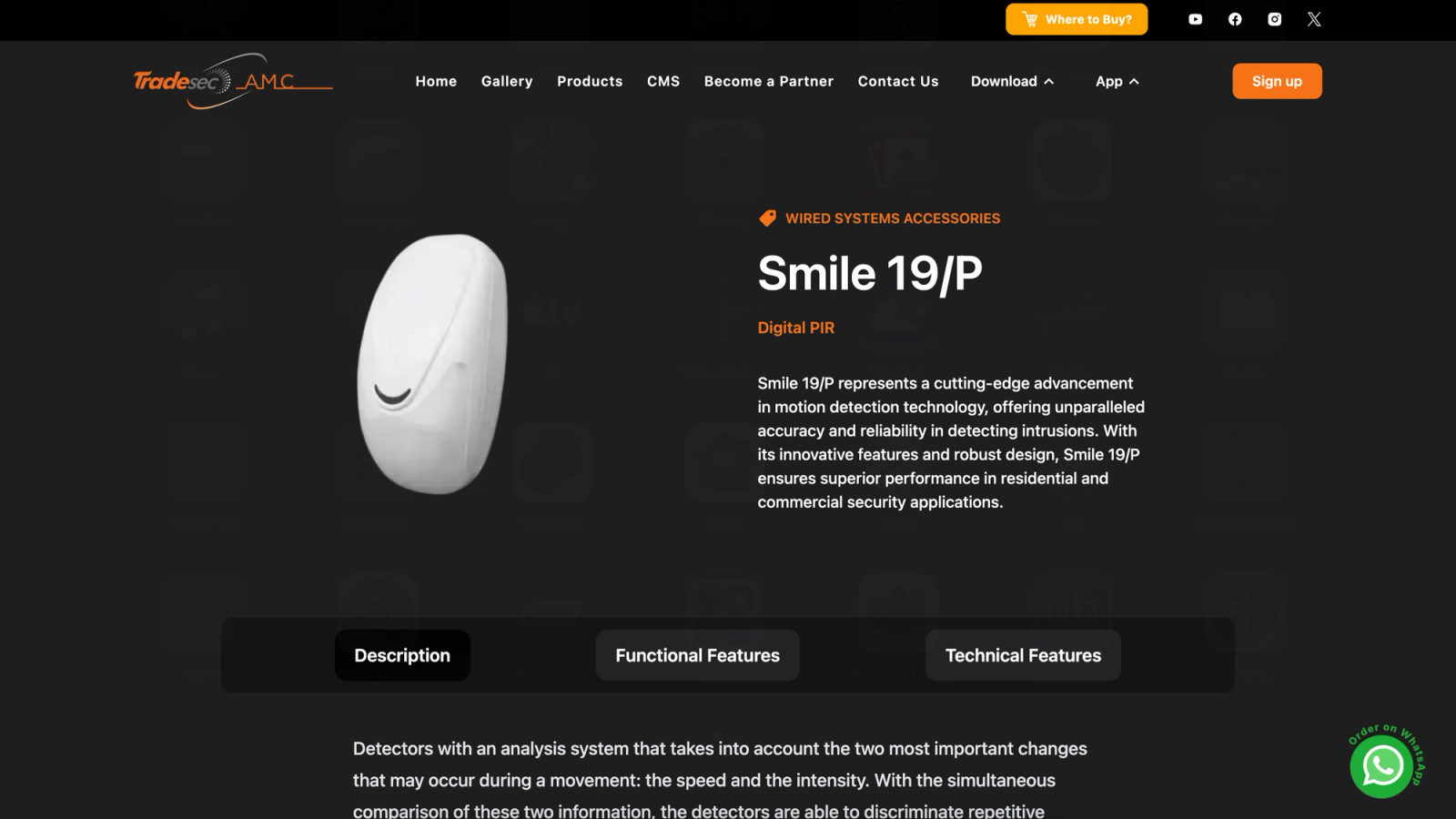
Keep the technical route for installers, consultants, and repeat buyers. Group controls, sensors, communicators, peripherals, and compatible accessories consistently. A single component page should state what it does, where it is commonly used, compatibility limits, installation notes, documentation, and the correct enquiry path.
What every security product page should answer
A useful product page answers five questions before an enquiry: what the component detects or controls; which environments it fits; which system it works with; what the installation or maintenance team needs to know; and whether the visitor should buy, request a quote, download technical material, or book a site discussion. Those answers reduce unsuitable enquiries without hiding technical detail.
Do not make a model number do all the explanatory work. Put the model number, specification sheet, and compatible systems where an informed buyer expects them. Put the decision explanation first for everyone else.
Where content and partner information belong
Product discovery is stronger when it connects to education. A buyer guide about commercial alarm selection can link to detection types, communicators, and maintenance planning. A page for distributors can explain how to request a partnership or obtain technical support. A blog can answer the questions that are too broad for one product listing. The catalogue remains focused because it points to those resources instead of trying to contain every answer itself.
This is also where a CMS matters. Product data, buyer guides, sector pages, partner information, and enquiry copy change at different speeds. Treating all of them as editable content keeps the website from becoming an expensive static brochure after launch.
When not to build a deep catalogue
A deep catalogue is not always the right first move. If a company sells a tightly defined service, has a small and stable product range, or needs every system designed after a site survey, a short solutions website with strong enquiry forms can be more useful. Add model-level pages when visitors need technical documents, repeat access, comparison, or distributor support. Do not create hundreds of thin pages just to look comprehensive.
Case in Point
Stacknyu's published security-systems website case study shows the practical middle ground: a six-area website that combines company information, product discovery, sector-specific solutions, a blog, partner and distributor information, and inquiry paths. The build was designed to support both B2B and B2C engagement rather than treating every visitor as either an ecommerce shopper or a generic lead.
Frequently Asked Questions
Should a security product catalogue include prices?
Only when the product can be selected and supplied without a survey, compatibility review, installation design, or distributor approval. For many intrusion systems, a quote or technical enquiry is clearer because the right configuration depends on the property, detection plan, signalling, and response requirements.
How should products be grouped on an alarm-system website?
Use component groups for technical visitors, then add discovery routes by property type and security need. The same sensor can appear through a commercial warehouse guide, a residential entry-point guide, and a technical sensors category without duplicating the product record.
What makes a B2B security catalogue different from an online store?
B2B buyers often need specifications, compatibility, procurement information, documents, account support, and a considered enquiry before purchase. A store can still be appropriate for simple accessories, but it should not replace the technical conversation needed for a configured security system.