Tour operator software should manage more than online bookings. For a travel agency or tour operator, the hard part is the operational middle: travellers, rooms, invoices, UTR payments, vendor payments, documents, flight and hotel booking status, reminders and team permissions. A booking engine can take the order. An operations CRM keeps the trip from falling apart after the order is confirmed.
Who This Is For
- Tour operators managing multi-day packages with multiple travellers per booking
- Travel agencies replacing spreadsheets, WhatsApp follow-ups and manual invoice files
- Operations teams that need staff/admin access controls across finance, documents and bookings
- Founders comparing a narrow booking engine with a full internal operations platform
What Should Tour Operator Software Actually Manage?
Most search results answer this question from the front-office side. They talk about inventory, online booking, payment gateways, supplier APIs, CRM, itineraries and reporting. Those are real needs, but they describe the sales layer more than the operating layer. A tour business still has to coordinate flights, hotels, rooms, passengers, passports, payment balances, vendors, departure dates and financial exports after the quote becomes a booking.
The minimum useful system has 7 linked records: tour, booking, traveller, room allocation, document, payment and invoice. Once those records are connected, the team can answer practical questions quickly: which travellers are missing passports, which rooms are overfilled, which bookings have pending balances, which vendors need payment, and which departures are close enough to require urgent attention.
This is where spreadsheets usually fail. They can list data, but they do not enforce relationships. A traveller row can drift away from the booking row. A room count can change without updating the invoice. A UTR number can sit in a finance sheet while operations still sees the payment as pending. The failure is not Excel; the failure is asking a spreadsheet to behave like a database, workflow engine and reminder service at the same time.
Booking Engine vs Operations CRM
A booking engine is useful when the business sells standardized inventory: tours, activities, seats, hotels, packages or transfers that can be searched and booked online. It usually focuses on availability, checkout, confirmations, commissions and distribution. For day tours or simple activity businesses, that may be enough. Choose a booking engine when the product is repeatable and the main bottleneck is taking more bookings online.
An operations CRM is different. It becomes the internal source of truth after the customer has committed. It tracks what has been booked, what is still pending, what documents are missing, what the customer has paid, what the company owes vendors, who can edit which part of the record, and what needs follow-up before departure. That is why the data model matters more than the first screen.
Structured comparison: Booking engine: best for online availability, checkout, agent distribution and standardized products. Operations CRM: best for multi-step fulfilment, passenger data, payment balances, documents, staff roles and internal reporting. Travel ERP: best when accounting, inventory, supplier contracts, GST, multi-currency and branch-level controls need to live inside one wider finance system.
Where Automation Matters Most
Automation should be attached to risk, not novelty. In tour operations, the highest-risk reminders are usually operational rather than promotional: flight not booked, hotel not booked, passport missing, visa document pending, payment balance due, vendor payment pending and departure date approaching. These are not marketing nudges. They are guardrails that stop a confirmed trip from becoming a messy scramble.
A good reminder model needs 4 things: a trigger, a severity level, a destination user or role, and duplicate prevention. Without duplicate prevention, reminders become noise. Without severity, every alert looks equally important. Without role targeting, finance gets document alerts and operations gets payment alerts. The point is not to generate more notifications; it is to surface the few exceptions that deserve attention today.
The same applies to invoice and payment automation. A booking system should not merely store the final invoice PDF. It should derive the payment status from the booking amount, received payments and identifiers such as UTR numbers. If the balance due changes, the visible status should change everywhere: booking list, traveller view, finance dashboard and reminder queue.
When Not to Build Custom Tour Operator Software
Do not build custom software just because the current tools feel plain. Off-the-shelf travel software is usually the better choice when the team sells simple products, accepts the vendor workflow, needs GDS or supplier integrations immediately, and does not have unusual operational rules. A paid product can also be better when the team is still discovering its process and needs to launch in weeks.
Build custom when the workflow itself is the business advantage or the risk. That usually means linked records, unusual approvals, custom role permissions, local payment tracking, document completeness checks, internal financial exports, and operational exceptions that generic products cannot model cleanly. Custom software costs more time and ownership. In return, it can match how the team actually runs tours.
Case in Point
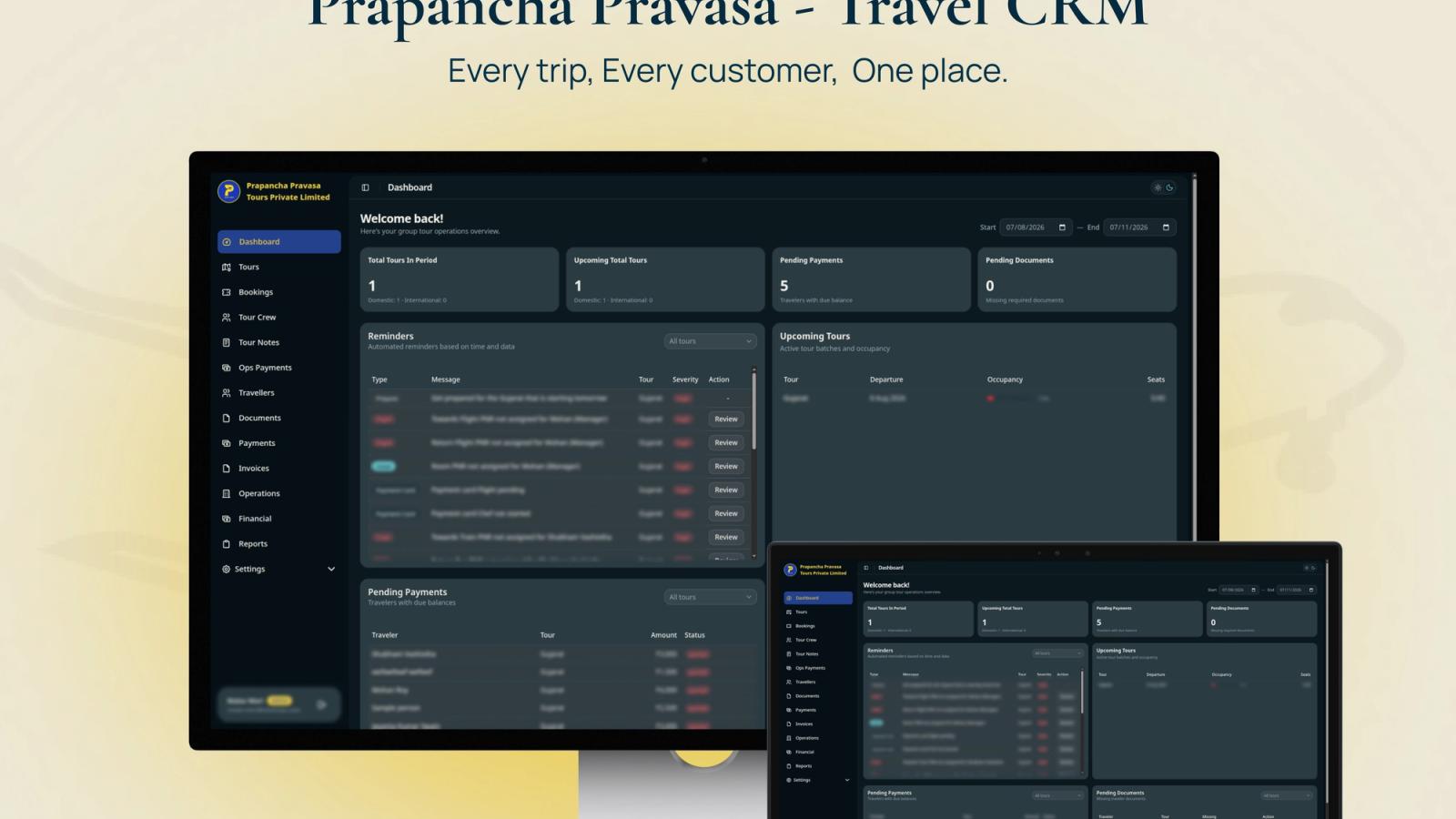
Stacknyu built Prapanch Tour Operations CRM as a full internal platform for a tour and travel company moving beyond spreadsheets. The system connects tours, bookings, room allocations, travellers, documents, UTR-tracked payments, invoices, vendor payments and financial reports. Its 18+ dashboard modules, 22 backend collections, 4-layer RBAC model and Go reminder worker were built for day-to-day operational control, not just online checkout.
Frequently Asked Questions
What is tour operator software?
Tour operator software is a system for managing travel products, bookings, travellers, suppliers, payments, documents, itineraries and reports. Some products focus on online booking. Others work as back-office or ERP systems. A custom platform is useful when your operating workflow is too specific for standard tools.
Is a booking engine enough for a travel agency?
A booking engine is enough when the agency sells repeatable inventory and mainly needs online search, checkout and confirmations. It is not enough when the team must manage room allocations, traveller documents, pending balances, vendor payments, staff roles and exceptions across many confirmed bookings.
When should a tour operator move beyond spreadsheets?
Move beyond spreadsheets when one booking touches multiple travellers, rooms, payments, invoices, documents and vendors. The practical signal is repeated status confusion: nobody knows which item is final, which balance is pending, or which traveller document is missing until someone manually checks several files.
What features matter most in tour operations software?
The most important features are booking lifecycle management, traveller profiles, room allocation, document tracking, payment and invoice status, vendor payment visibility, role-based access, reminders, search, filters and exportable reporting. Supplier APIs and online checkout matter too, but only if the internal workflow stays accurate after booking.