Travel booking app development for tours and experiences has to support discovery before a trip and coordination after a booking. A strong product connects package content, dates, guests, payment, invoices, messages, notifications and support instead of treating checkout as the finish line.
Who This Is For
Tour operators building a customer-facing booking product
Travel marketplaces supporting hosts and travellers on mobile
Experience businesses that need trip management after payment
Teams moving from a website-only flow to web plus iOS and Android
Core Surfaces of a Travel Booking App
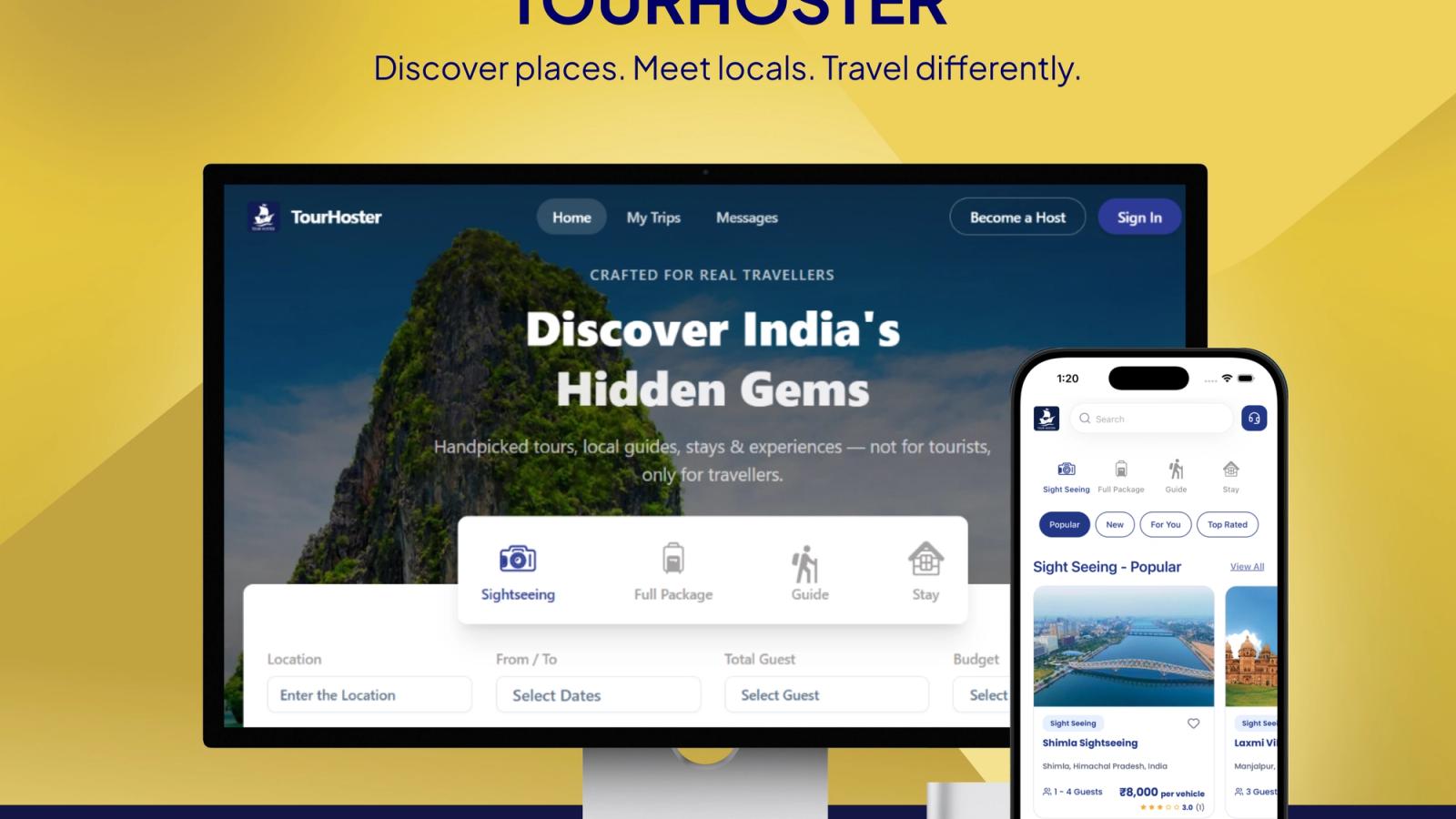
The traveller experience usually starts with search and filtering. Location, dates, guests, budget and package category help reduce a large catalogue to a useful shortlist. Package detail pages then need itinerary information, inclusions, pricing, host context, availability and a clear action to book.
After checkout, the app becomes a trip workspace. My Trips, booking status, invoices, messages, push notifications and emergency contacts are practical features because travellers need them when plans change or when they are away from a desk.
The Host and Admin Side
A marketplace booking app has at least three operational surfaces: traveller, host and administrator. Hosts need package creation, itinerary editing, booking visibility, earnings and payout requests. Administrators need approval, package moderation, payment visibility, user support and the ability to keep live content consistent.
Package versioning is especially important. A host may improve an itinerary after it is published, but a live listing should not silently change in a way that confuses a traveller who has already booked. Version-aware content gives the team a controlled way to publish updates.
Payments and Booking State
A reliable booking app models more than paid or unpaid. It may need states for payment initiated, payment verified, booking confirmed, invoice issued, payout pending, payout completed, cancelled or support required. Those states should be derived from server-side events where possible.
Razorpay checkout, HMAC-SHA256 webhook verification, server-side amount validation, booking invoices and host wallet payouts are examples of the controls a travel product may need. The exact payment provider can change, but the separation between client intent and server confirmation should remain.
Cross-Platform Architecture
Web and mobile should share the same backend rules for packages, users, orders, payments and messages. A SvelteKit web app can support discovery and shareable package pages, while React Native apps can handle mobile booking, trip access, push notifications and deep links.
The goal is not to make every screen identical. The goal is to keep the underlying data and state transitions consistent while letting each platform fit its context.
Notifications, Messaging and Safety
Travel products need timely communication. In-app text and audio messaging can connect hosts and travellers, while Firebase Cloud Messaging can bring important updates to mobile users. Emergency contacts and SOS access give the product a safety path that a simple booking confirmation page cannot provide.
These features also create responsibility around permissions and data handling. A production app should decide who can contact whom, which notifications are sent for which event, and how support staff can review a conversation or booking issue.
Case in Point
In the Tour Hoster case study , Stacknyu describes a shared PocketBase backend for a SvelteKit web app and React Native apps on iOS and Android, with bookings, wallets, invoices, messages, push notifications and SOS support.
Frequently Asked Questions
What features should a tour booking app include?
Core features usually include search, filters, package details, dates, guest counts, checkout, booking confirmation, invoices, trip history, messages, notifications and support. Host and admin workflows are needed when the app is marketplace-based.
Is it better to build one app for hosts and travellers?
A shared platform can use one backend while giving hosts, travellers and administrators different permissions and workflows. Separate app experiences may be useful when each role has very different daily tasks.
How do mobile booking apps handle payment confirmation?
The mobile client should initiate checkout, but the server should verify signed webhooks, validate the expected amount and update the booking only after the payment event is trusted.
Do travel apps need push notifications?
Push notifications are useful for booking updates, messages, payment events, itinerary changes and support actions. They should be tied to explicit business events and user permissions.